When Combine Variants for Volume Pricing is enabled, the app looks at the total number of items across all variants of a product to decide which volume discount applies.
Instead of each variant being counted separately, they’re added together.
This makes it easier for customers to reach your bulk pricing tiers when they mix variants like colours or styles.
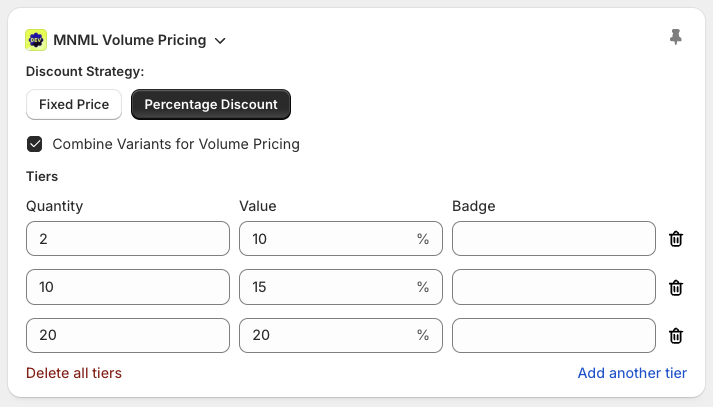
Product: T-Shirt
Variants: Blue, Red
Volume Pricing:
Buy 5+ → 10% off
Buy 10+ → 20% off
Blue T-Shirt: 3
Red T-Shirt: 4
Each variant is checked on its own.
Neither reaches 5, so no discount is applied.
Blue T-Shirt: 3
Red T-Shirt: 4
Total: 7
The app counts them together.
The 5+ tier applies, and both items get 10% off.
Each variant still shows as its own line item
The same volume discount is applied to all qualifying items
The discount is visible in the cart, checkout, order confirmation, emails, POS, and Shopify Admin
Everything stays clear and itemised, only the quantity calculation changes.
This works best when:
Variants are cosmetic (colour, finish, style)
Customers commonly mix variants in one order
You want volume discounts to be easier to qualify for
If variants represent fundamentally different products, keeping variant quantities separate is usually better.
This setting applies at the product level
Variant-level pricing (Pro Plan) always counts variants separately
No changes are needed on the storefront, once enabled, it works automatically
If you’re unsure whether this setting is right for your products, contact support and we’ll help you decide or set it up correctly.