Volume pricing uses line item discounts.
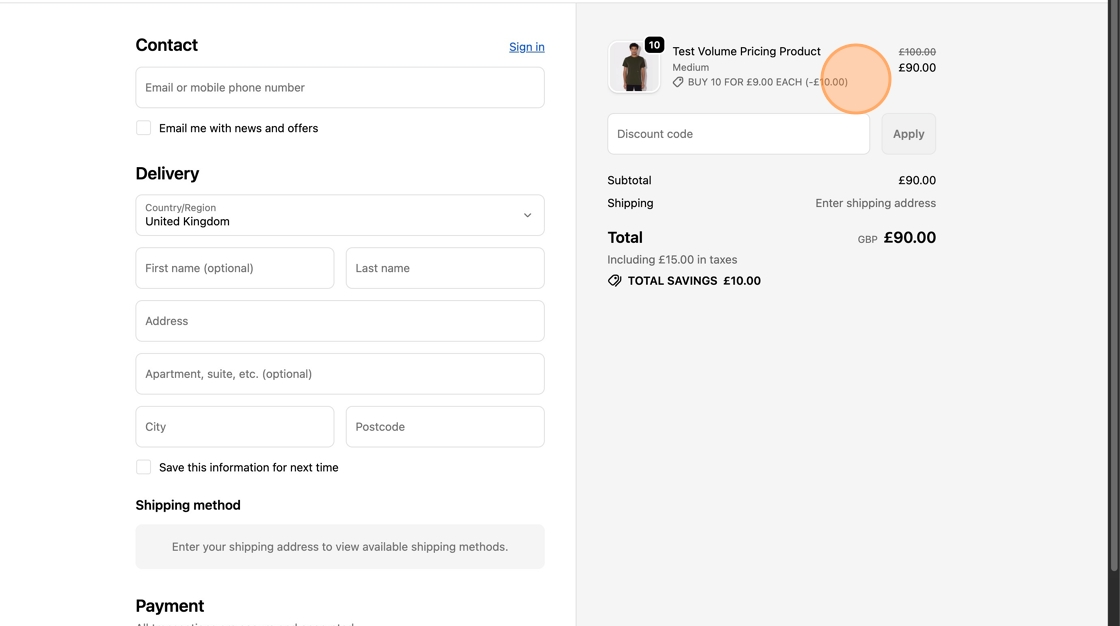
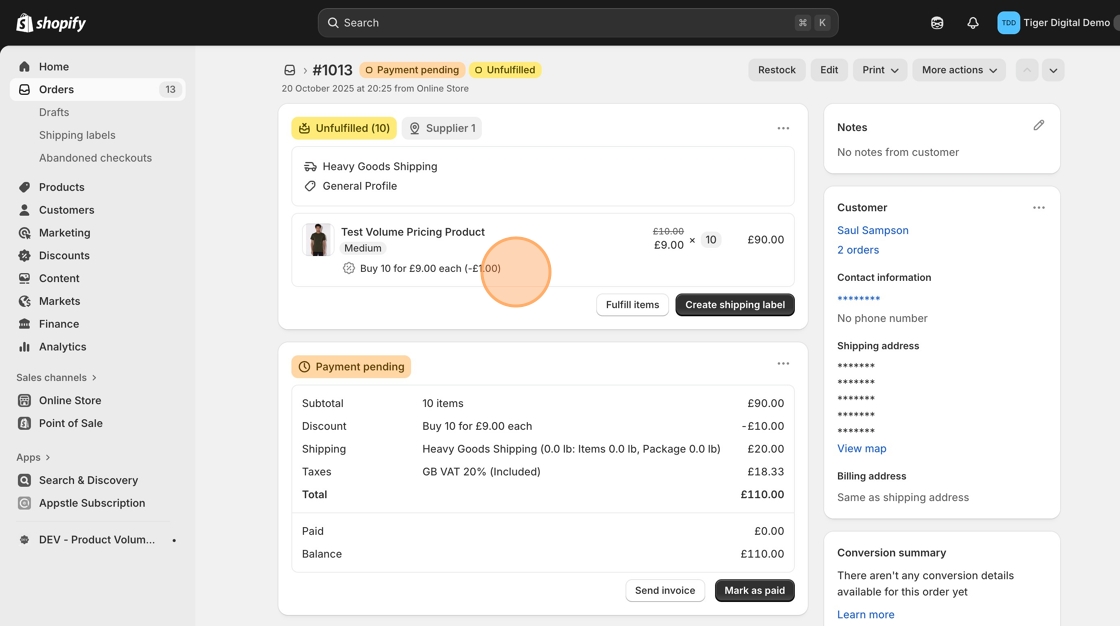
This means that when a customer qualifies for a volume tier, the discount appears in the cart and checkout as a discounted line item, not as a price change on the product itself.
The discount title shows customers how much they’re saving when they qualify for a volume discount. By default, it appears like this:
Example: Buy 200+ @ £0.34 each
You can fully customise this message to match your brand voice or display different data.
Volume pricing discounts are displayed across all key Shopify touchpoints, just like a regular discount coupon:
Cart page
Checkout page
Order confirmation page
Customer order confirmation email
Staff order notification email
Shopify Admin → Order details view
Shopify automatically handles these displays - the app only provides the discount title text shown alongside the discounted line item.
Open the MNML Volume Pricing app
Click Settings in the top navigation bar
Go to Discount Message Settings
Edit the Custom message field
Click Save Changes
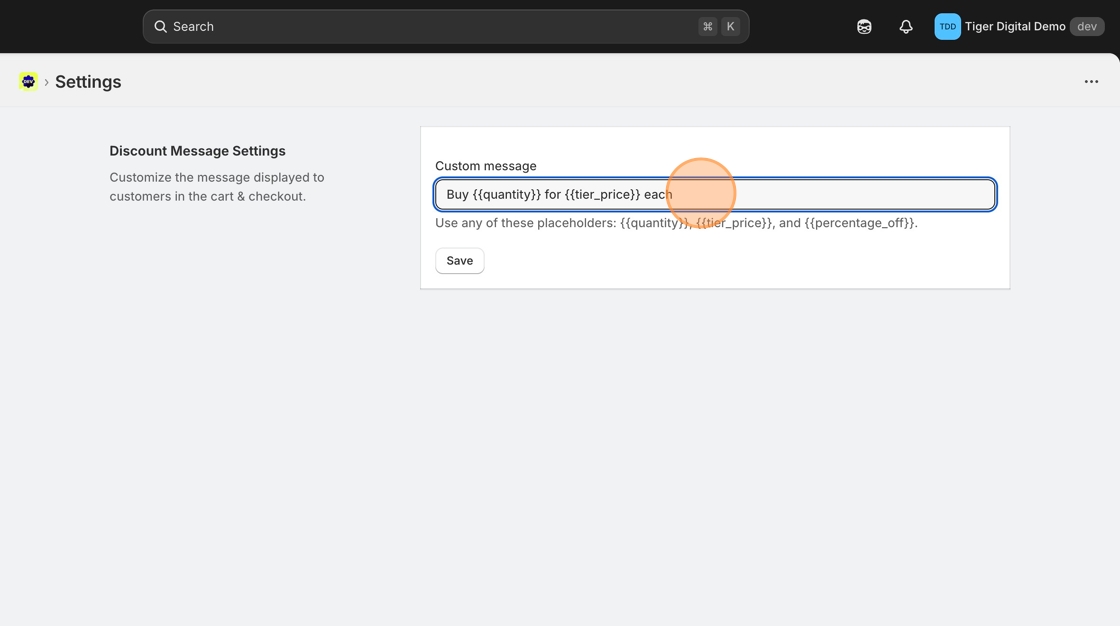
Placeholder | Description |
| The minimum quantity required to activate the tier |
| The discounted price per unit at that tier |
| The amount saved per unit compared to the original price |
| The percentage discount for that tier |
These placeholders can be placed anywhere in your message - the app will replace them with live values when the discount is applied.
Example Type | Configuration | Example Output |
Default |
| Buy 200+ @ £0.34 each |
Simple Percentage |
| 50% Off |
Amount Off |
| Save £0.06 each |
Percentage + Quantity |
| Save 15% when you buy 200+ |
Short Format |
| 200+ @ £0.34 |
Savings Emphasis |
| Save 15% per item |
Minimal |
| 15% off on 200+ |
Subtle Format |
| Bulk Discount |
If you’d like help refining your message or need more data placeholders, message us - we can customise it for your setup and add more placeholders.