

How It Works
The MNML Volume Pricing app supports Shopify POS, allowing you to apply your existing volume discount tiers when selling in person. Once enabled, the same pricing rules you’ve set online are available at checkout in your retail locations.
How to Enable POS Support
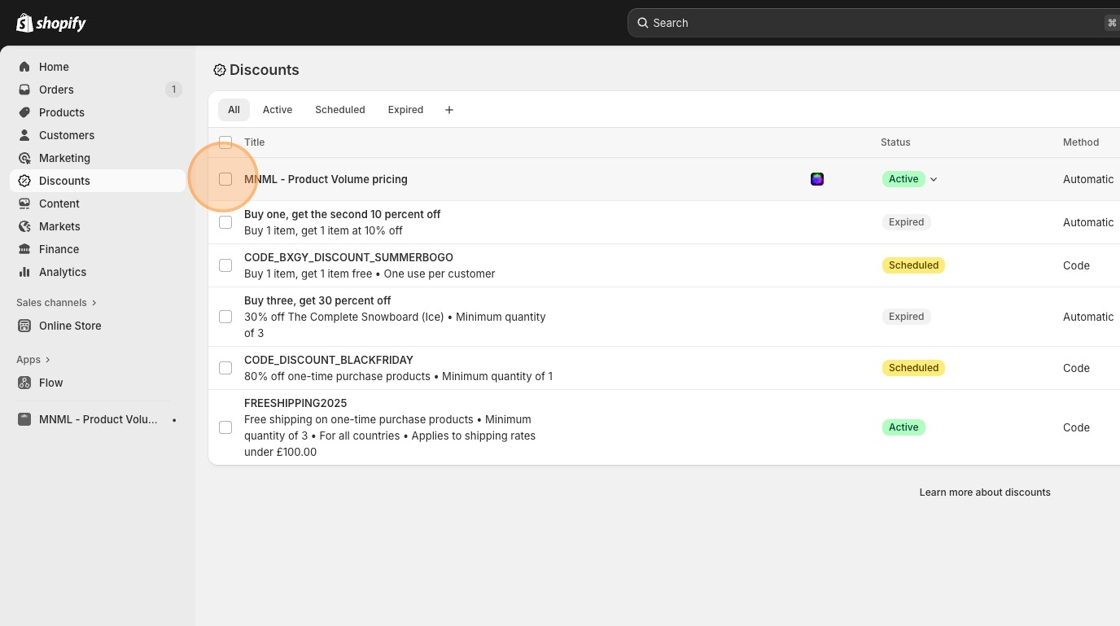
Navigate to the Discounts screen in your Shopify Admin.
Bulk select the MNML - Product Volume Pricing discount.
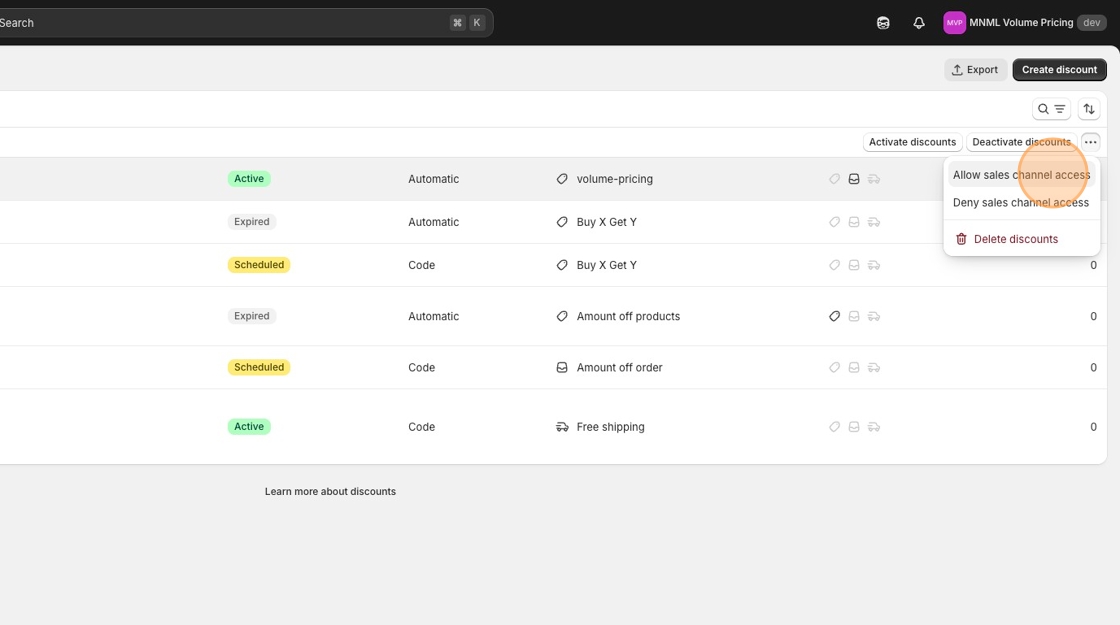
Click Allow Sales Channel Access.
In the popup, tick Shopify POS.
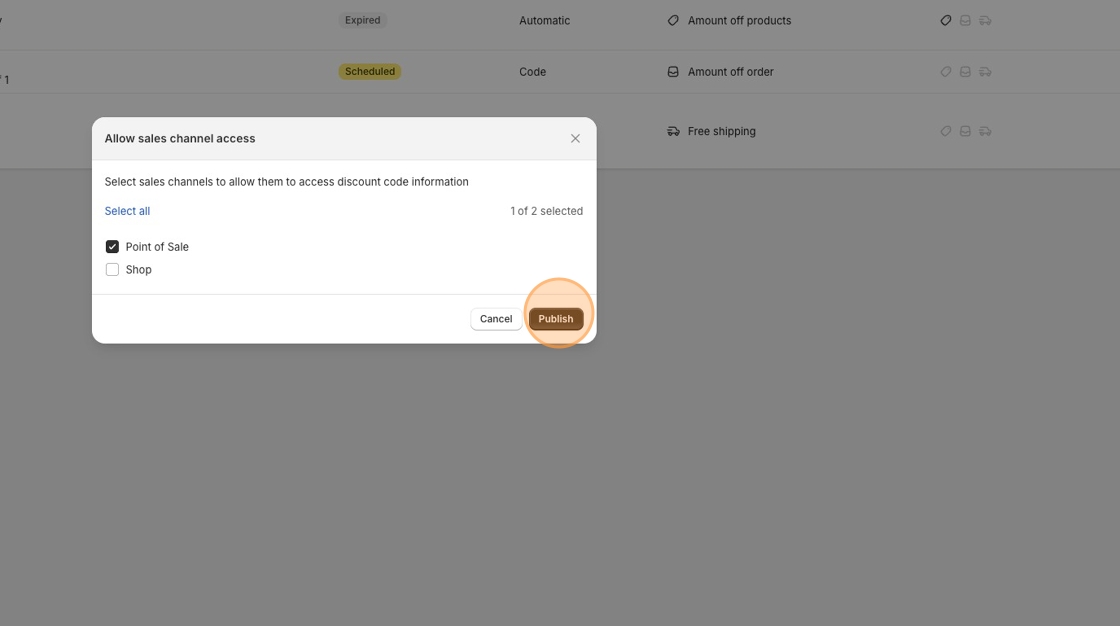
Click Publish.
Your discounts are now available through your POS system.
What It Looks Like in Shopify POS
Once enabled, discounts appear automatically when the quantity in the basket meets your volume tier conditions.
The price adjusts per the tier, and a discount line is shown below the item, just like online.
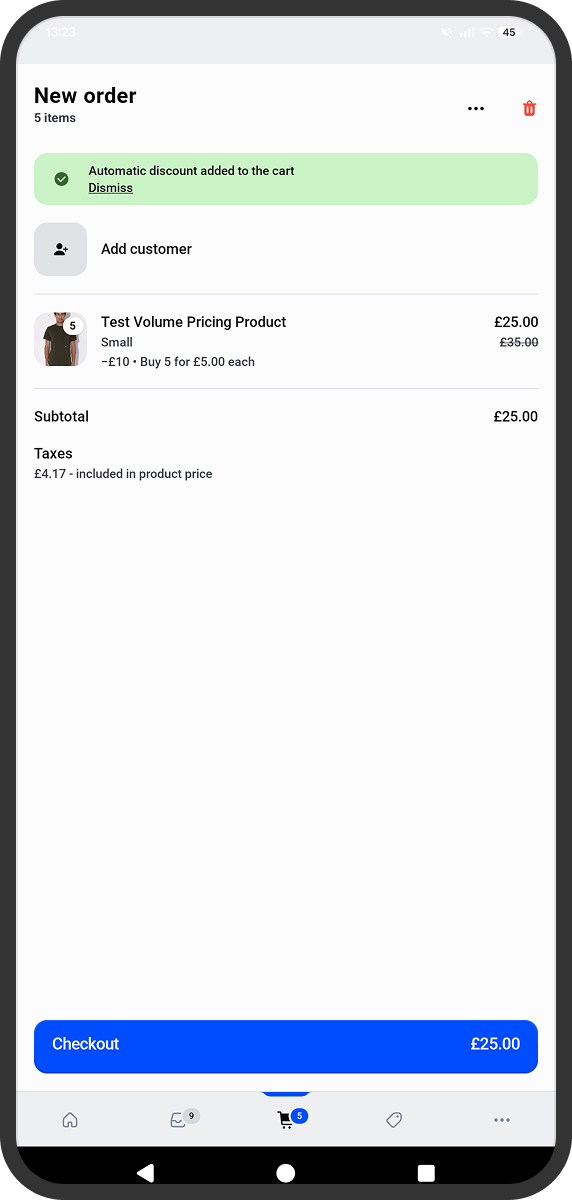
(Example screenshot: Shopify POS screen showing an order with a “Buy 10+ @ £14.50 each” discount applied under the product line.)
Notes
The same product- and variant-level tiers you’ve configured in the app are used in POS.
Changes made to pricing tiers update automatically in both online and in-store channels.
Volume pricing on POS follows Shopify’s native discount handling, ensuring accurate totals and tax calculations.
Once enabled, your in-store team can confidently sell at the same volume pricing structure as your online store.