

Overview
The MNML Volume Pricing widget fully supports Shopify’s translation system. You can use Shopify Translate & Adapt to localise the widget text for any language your store supports — including tier labels, buttons, and headings.
How to Localise the Widget
Install Shopify Translate & Adapt
Make sure the official Shopify Translate & Adapt app is installed and enabled on your store.Open the Theme Editor
Go to Online Store → Themes → Customise.Embed the Widget
On your Product Page template, ensure the Volume Pricing Widget app block is added.
(If it’s not, click Add Block → Apps → Volume Pricing Widget and save.)Right-Click the Widget → Localize
In the Theme Editor preview, right-click on the widget and select Localize.
The Translate & Adapt panel will open on the right-hand side.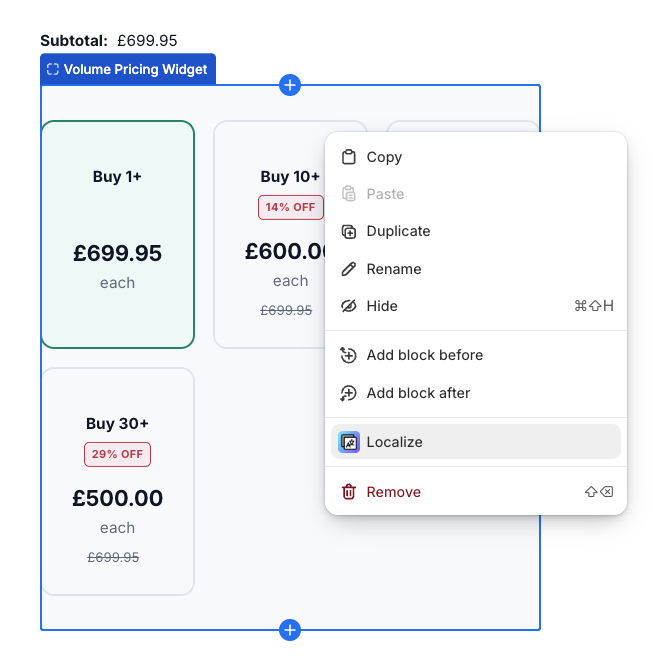
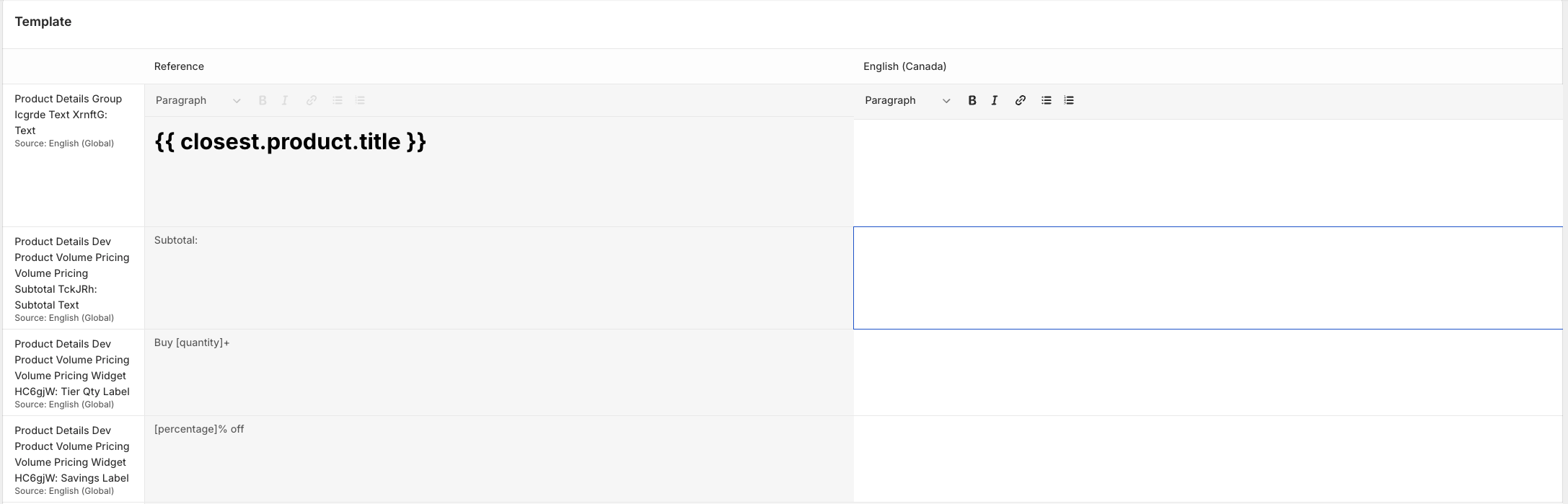
Enter Translations
For each supported language, edit the displayed text — such as:Tier labels (e.g. Buy [quantity]+)
Savings labels (e.g. [percentage]% off)
Button text and headings
Save Your Changes
Click Save once all translations are entered.
Notes
Translations are stored in Shopify’s native translation system, so they’re automatically applied wherever the widget appears.
You can update translations anytime through Translate & Adapt -no need to re-add the widget.
The widget automatically displays the correct language based on your customer’s locale settings.